Container Desktop
On this page
The problem
Apple’s container runtime needs a practical desktop workflow for inspecting containers, following logs and managing development stacks.
What I’m building
Container Desktop is a native Rust and Tauri application for Apple Silicon, built around Apple’s container runtime. Its Docker Desktop-inspired interface includes container lists, Compose groups, resource columns and detail views.
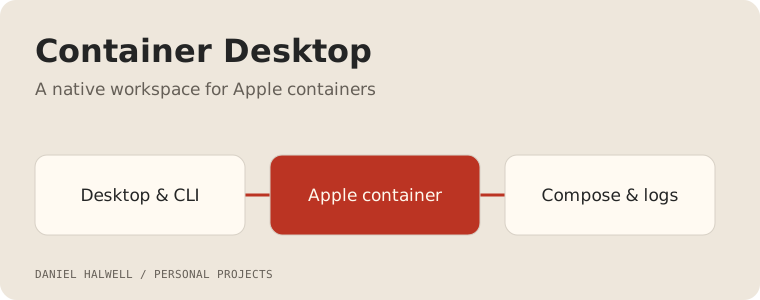
Desktop and terminal workflows
Live container state, logs, interactive terminals, image management and Compose builds share the same engine. The companion cdesktop CLI supports Compose and Buildx workflows with isolated tool configuration and contexts.
Apple-native development
The project also connects container workflows with host-side MPS, Metal and MLX services. GPU workloads use the appropriate Apple-native host services.
A desktop view of a development stack
Container lists and Compose groups give a view of what is running. Resource columns help identify which process needs attention; detail views bring logs, inspection and interactive terminals close to the selected container. Image management and build workflows complete the path from preparing a stack to investigating it.
The Docker Desktop-inspired layout is a familiar interaction model, while the engine underneath is Apple’s container runtime. The native application uses Rust and Tauri and targets Apple Silicon development.
Keeping desktop and CLI workflows connected
The companion cdesktop command supports Compose and Buildx workflows. Its isolated configuration and contexts keep those tools associated with the application’s engine. The important boundary is that the desktop and terminal describe the same running resources.
cdesktop compose ps
cdesktop compose logs
cdesktop buildx ls
A log view answers what a process is doing. An interactive terminal answers what is available inside it. Inspection explains the configuration that produced that state. Keeping those views connected makes debugging a stack less dependent on switching between unrelated tools.
Host acceleration
Apple-native MPS, Metal and MLX workloads use appropriate host services alongside containerised components. The interface needs to make that placement visible because a Linux container and a host GPU service have different lifecycles and execution environments.
Development focus
The work spans daemon and bridge lifecycle, terminal handling, Compose grouping, image/build operations and the native interface. Recovery after a service stops matters alongside initial launch. This page describes the application under development; there is no public repository or installer linked here at present.
My CV places this work alongside the other Rust tools, and Codypendent explores a similar shared-backend approach for coding sessions.